
You can’t read 2,000 comments a week
Past a few hundred comments a week, you stop reading and start skimming. The same question shows up a dozen different ways (“what iron is that”, “is it a Sunbeam?”, “TELL US THE IRON”) and gets buried under the praise. You answer the first few. The rest scroll away, and so does the request that could have been your next video.
YouTube and Instagram show comments one at a time, newest or top first. Neither tells you what people asked across all your videos this week.
One video, analyzed
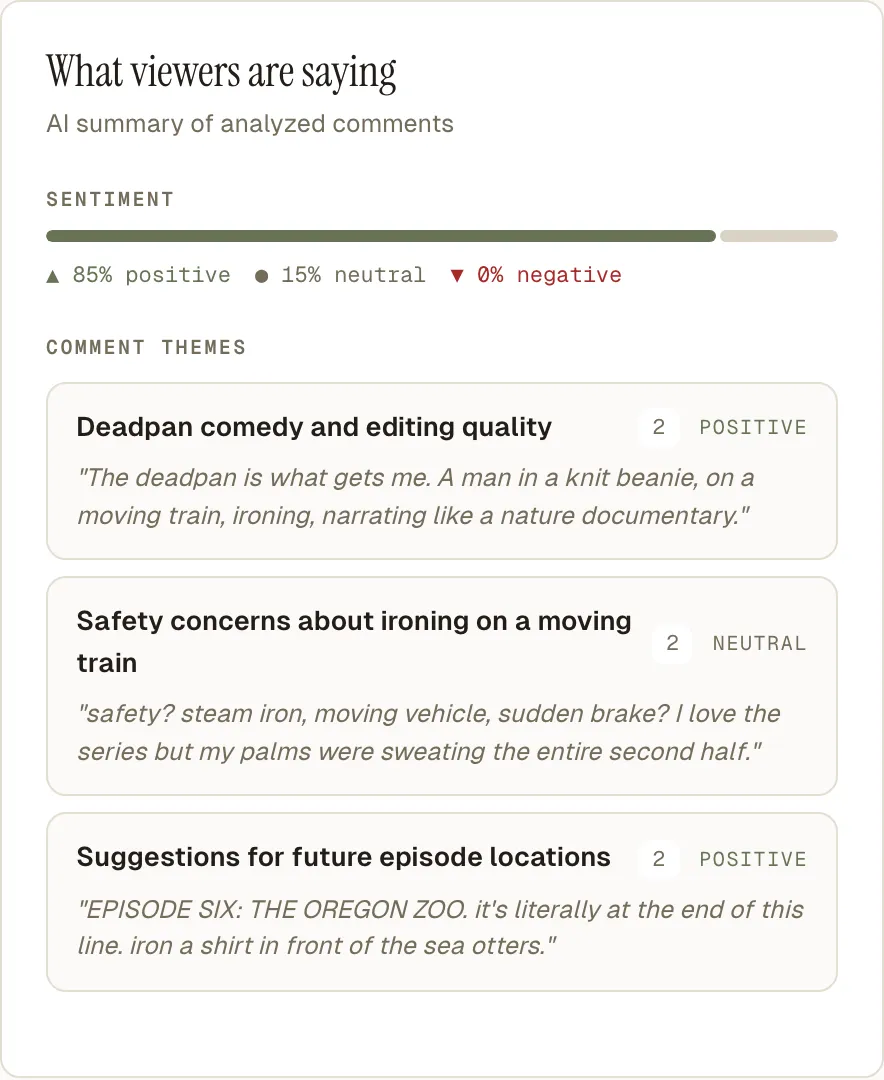
Theo’s “Ironing in Unreasonable Places: the MAX train” got 160 comments on YouTube. He didn’t press anything: Creable read them once they were in. These lines are its output, word for word.
- The question asked most
- “What iron is that?” Further down the same list: “Is it a Sunbeam?” and “What is that thing, an antique??”. One question, asked three ways.
- The mood
- 85% positive, 15% neutral, none negative.
- What to fix
- “Trim the TriMet email bit by ~8 seconds as a commenter already suggested.”
- What to make next
- “A ‘reveal the iron’ video: the comments overwhelmingly and repeatedly demand the iron’s identity.”
Theo is Creable’s demo channel.
How it works
-
Connect YouTube and Instagram
Sign in through YouTube’s and Instagram’s own screens. Creable reads your videos, their numbers and their comments. It posts nothing unless you press Post reply.
-
Post as usual
After each upload, Creable brings in the comments, on long videos, Shorts, Reels and posts alike. When enough new comments arrive, it reads the video again.
-
Open the video
What people said is on the same page as the video’s views and retention, so you see the reaction and the result together.
What you get every time you post
Sentiment, themes and top questions on every video
Creator and Studio plans
Each video’s Audience tab shows the overall sentiment (positive, neutral, negative), up to eight themes with a short quote for each, up to ten of the questions people ask, and the most-liked comments.
The video’s Overview carries a “From your audience” card, and its recommendation and next video idea draw on the comments.
Your top commenters
Creator and Studio plans
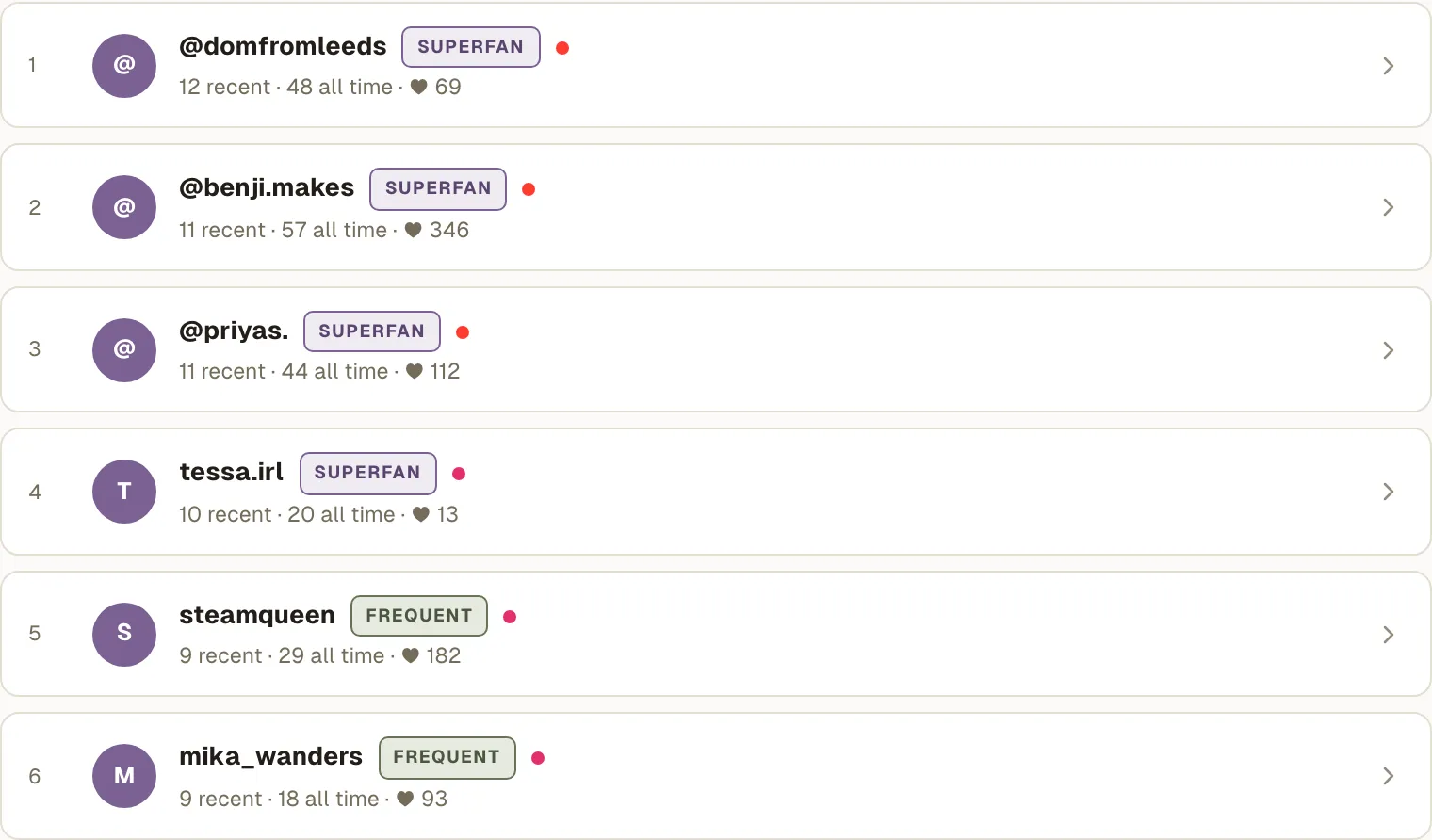
Community ranks the people who comment most across YouTube and Instagram, by how often they’ve commented recently, and marks your superfans. Reply to these people first.
Video ideas from your comments, every week
Creator and Studio plans
Your Weekly Replay groups a sample of the week’s comments by what they ask for and names the biggest request: how many people asked, on which posts, and in their own words. Theo’s last one: 17 people suggested places for future episodes, from a tram and a kayak to a stadium and Japan.

Answer the comments that need you, from one Inbox
Studio plan · preview in the trial
On the Studio plan, unanswered comments from YouTube and Instagram are sorted into questions, criticism, business and praise. One-word comments like “first” and “nice” are set aside. The rest are ranked by likes, by how often that person comments, by how new the comment is and by type, so a sponsor’s message or a real question usually comes before a compliment.
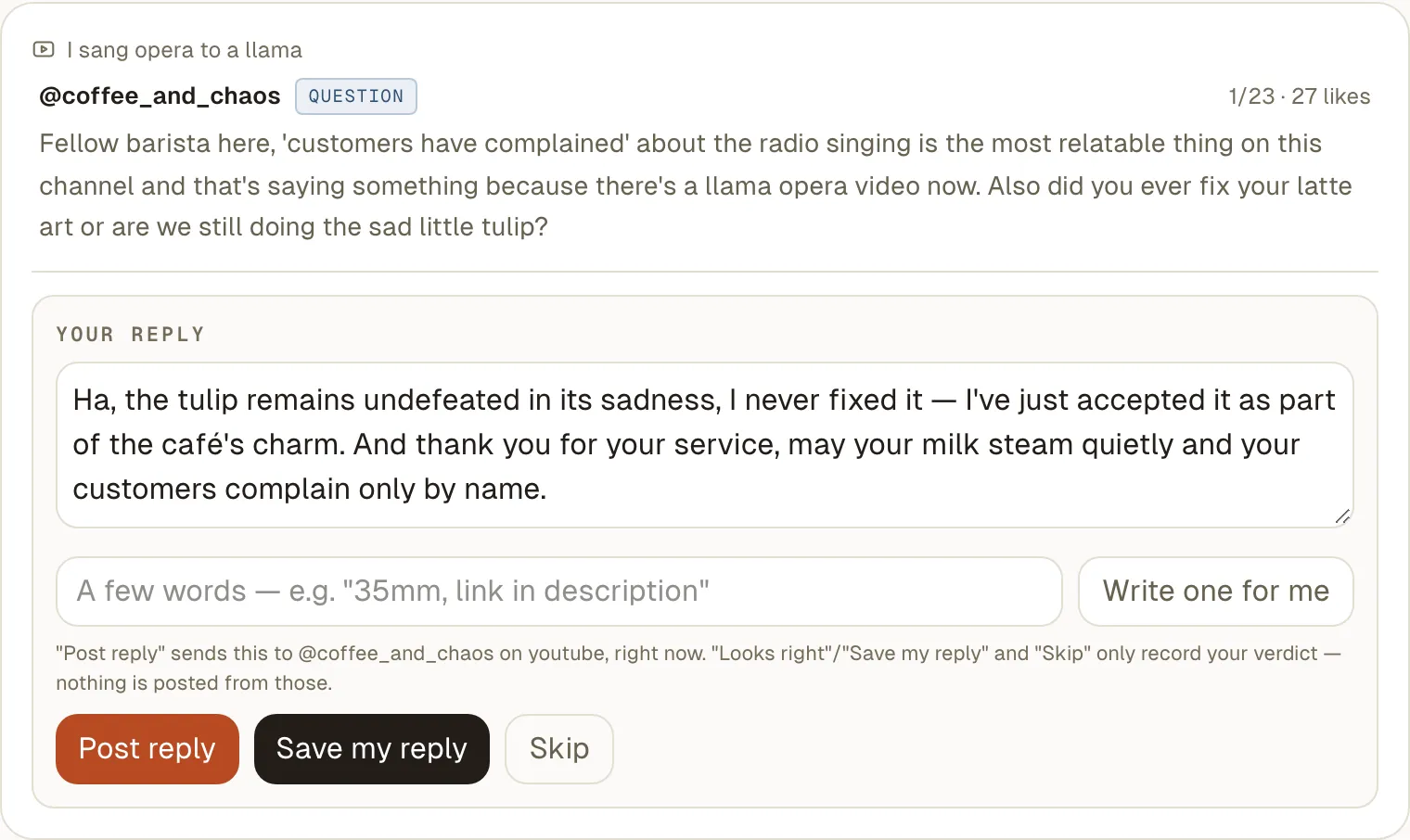
Once you’ve replied to a handful of comments yourself, the top of the queue arrives with a reply drafted. Drafts follow how you write, from those replies, and know what the video was about. Edit the draft, ask for a new one, or write your own. Nothing is posted until you press Post reply. Drafts never include links, or tag anyone you didn’t name.
Instagram comment analysis, too
Connect an Instagram professional account and your Reels, posts and carousels get the same analysis as your YouTube videos: sentiment, themes and questions. On the Studio plan, Instagram comments land in the same Inbox and you reply to them from there. Your Instagram regulars sit in the same ranking as your YouTube ones.
Why not YouTube Studio, or ChatGPT?
YouTube Studio can summarize the comments on a video when you open it, and that helps. ChatGPT sorts comments well too, once you’ve exported them, pasted them in and told it which video they belong to. Even with memory on, you do that again for every upload, and it can’t see how the video did.
Creable does it on every video, on both platforms, without you opening anything, and puts the answer next to the numbers.
| YouTube Studio | ChatGPT, pasted | Creable | |
|---|---|---|---|
| Runs on every new video by itself | A summary when you open a video | You paste each time | Yes |
| Instagram comments too | No | If you copy them out | Yes |
| On the same page as the video’s numbers | A separate tab | No | Yes |
| Your top commenters | A weekly spotlight | No | Ranked across both platforms |
| The week’s biggest request | No | No | In your Weekly Replay |
| Replies in your voice | Suggestions, in limited testing | Generic | Drafted from your own replies (Studio plan) |
Other tools as of October 2026.
What it doesn’t do
- No TikTok comments
- TikTok doesn’t share comments with outside apps, so there’s nothing to read. Your TikTok views and numbers are still in Creable.
- The analysis reads your top 500
- Comments are imported up to 5,000 per video each time Creable checks. Sentiment, themes and questions come from each video’s 500 most-liked comments.
- It never posts on its own
- Every reply is one you chose to send.
- No trend lines
- You get the picture per video and per week, not a chart of how a topic grows over months.
- Your channels only
- To look at someone else’s comments, use the free YouTube comment analyzer.
Questions
Is there a free version?
Yes. The free YouTube comment analyzer reads up to 150 top comments on any public video or channel and shows the themes, recurring questions and requested videos, with no account. It works one link at a time and covers YouTube only. Creable runs on your own channel by itself, adds Instagram, and keeps going every time you post.
How many comments does Creable analyze per video?
Creable imports the comments on your YouTube and Instagram posts, up to 5,000 per video each time it checks. Sentiment, themes and top questions are worked out from the 500 most-liked comments on each video. On the Studio plan, the Inbox sorts all of them and ranks the ones still waiting for you.
Does it work for YouTube Shorts and Instagram Reels?
Yes. Shorts are read like any other YouTube video, and Reels, posts and carousels on a connected Instagram professional account get the same analysis.
Why not TikTok?
TikTok doesn’t give outside apps access to comments, so no tool that connects to your account can read them. Your TikTok videos still show their views and numbers in Creable, and each one says plainly that its comments aren’t available.
Will it reply for me, and will it sound like me?
It drafts, and you decide what gets posted. Once you’ve replied to at least five comments yourself, drafts are written from those replies, so they pick up how you talk to your audience, and they know what the video was about. Nothing is posted until you press Post reply. Reply drafts are on the Studio plan and in the free trial.
Is my data used to train AI?
No. Creable doesn’t use your data, or your audience’s, to train AI models, and the AI providers it works with are contractually barred from training on it. The details are in the privacy policy.
Which plan do I need?
Comment analysis is on both plans: Creator at $79 a month and Studio at $99 a month. The Studio plan adds the Inbox and reply drafts. The 14-day trial includes both, needs no card, and isn’t charged when it ends.
Last updated October 18, 2026